
Smart Dispatch That Saves Hours Every Day
Stop guessing which driver to send. Waybill analyses availability, proximity, vehicle suitability, and time windows to recommend the optimal assignment for every job.
AI-Powered Smart Assign
When a job comes in, Smart Assign instantly evaluates every available driver-vehicle combination and ranks them by suitability. Factors include:
- Proximity — How close is the driver to the pickup location? GPS, depot address, or home address are all considered.
- Time windows — Can the driver reach the pickup within the requested time? Estimated arrival times are calculated automatically.
- Vehicle capacity — Does the vehicle have enough seats and cargo space for the passengers and any equipment?
- Driver hours — Is the driver within their maximum allowed hours for the day?
- Vehicle type — Does the vehicle match the job requirements (wheelchair accessible, stretcher-capable, etc.)?
One-Click Auto Assign
Don't want to review options? Auto Assign picks the top-ranked driver-vehicle pair and assigns them instantly. The driver receives a notification, the job status updates, and the dispatcher moves on to the next task.
Perfect for high-volume operations where speed matters more than manual selection.
Complete Job Lifecycle
Track every job from creation to completion with clear status transitions.
Pending
Job created, waiting for driver and vehicle assignment.
Assigned
Driver and vehicle assigned. Driver notified automatically.
In Transit
Driver en route to pickup or transporting passengers.
Completed
Passengers delivered. Job recorded for invoicing and reporting.
More Dispatch Capabilities
Recurring Jobs
Create job templates that automatically generate jobs on a schedule — daily, weekly, or custom patterns. Perfect for regular passenger routes that repeat every week.
Multi-Passenger Jobs
Assign multiple passengers to a single job for shared rides. Each passenger's pickup and dropoff requirements are tracked individually.
Flexible Time Windows
Set specific pickup times or mark jobs as flexible. Flexible jobs can be optimised more efficiently since the system has freedom to schedule them optimally.
Real-time Status Updates
Job status changes are pushed to all dispatchers in real time. No page refreshes needed — assignments, status changes, and alerts appear instantly.
Archive & Restore
Accidentally deleted a job? Archived jobs can be restored with one click. Permanent deletion requires separate permissions, preventing accidental data loss.
Job References
Every job gets a unique 8-digit reference number (e.g., JOB-38471926) for easy identification across teams, invoices, and passenger communications.
Dispatch Copilot
Proactive insights surface quick-assign suggestions, fatigue warnings, ETA risks, and unassigned alerts directly on the dispatch board with one-click actions.
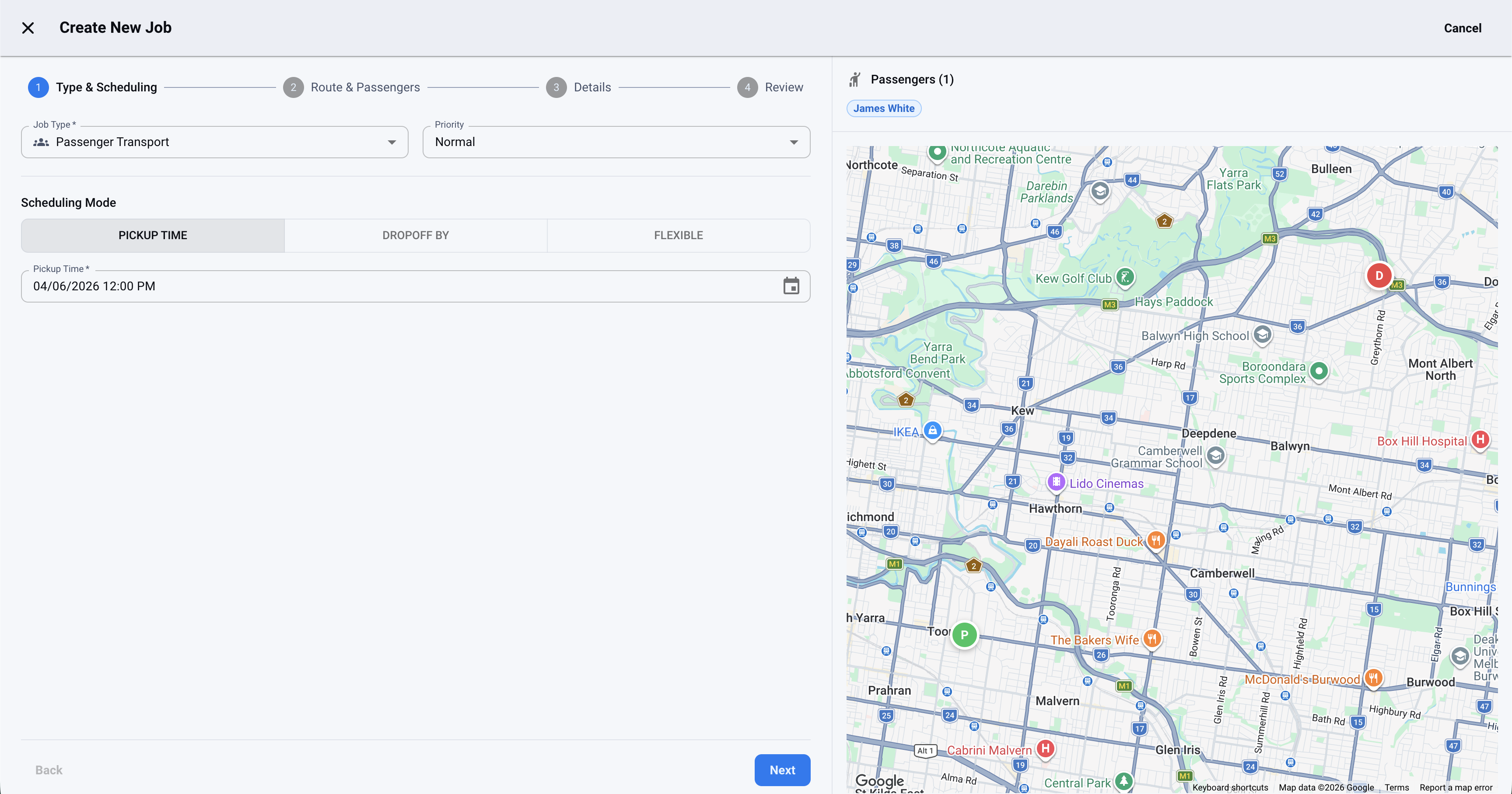
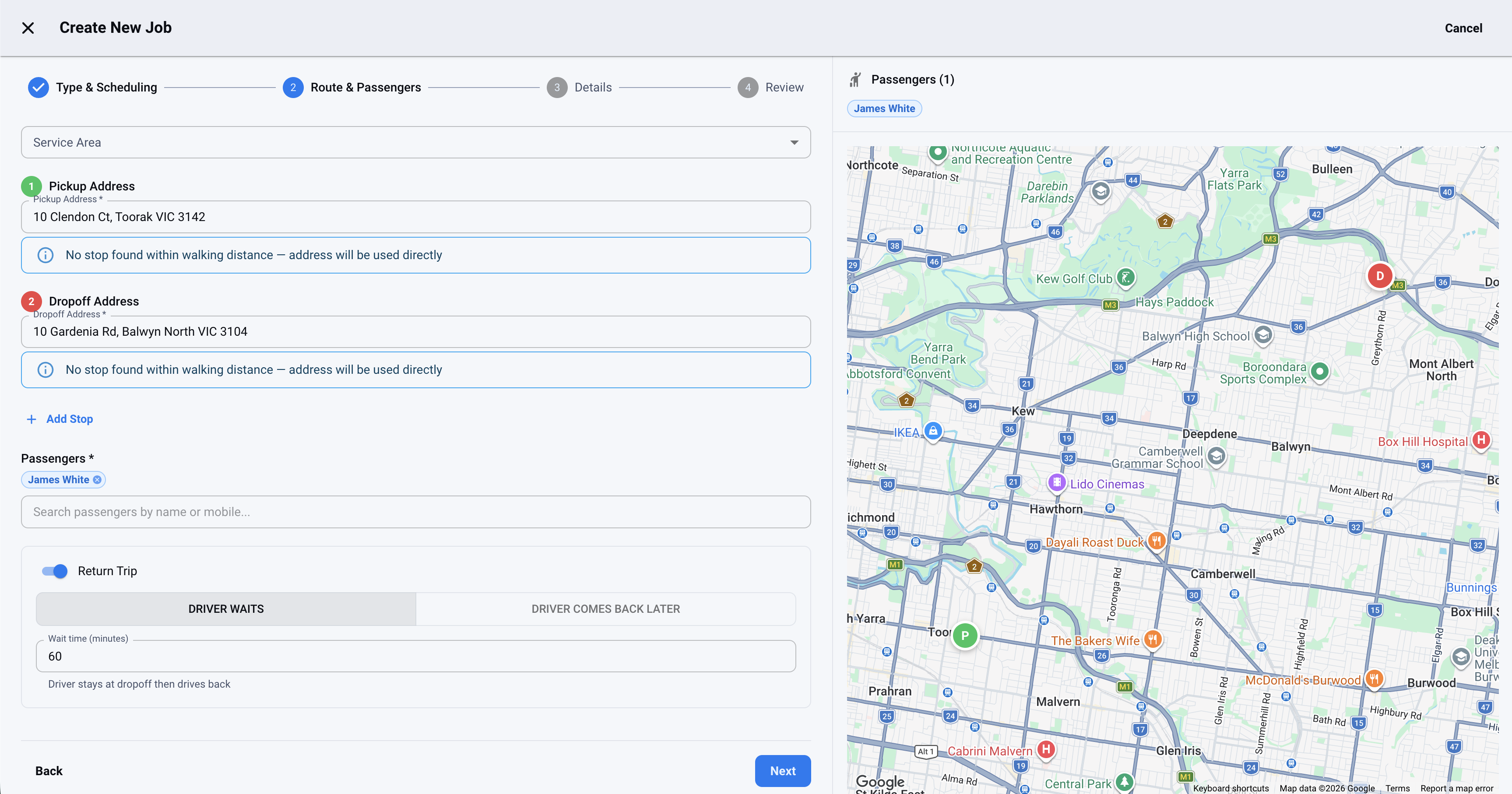
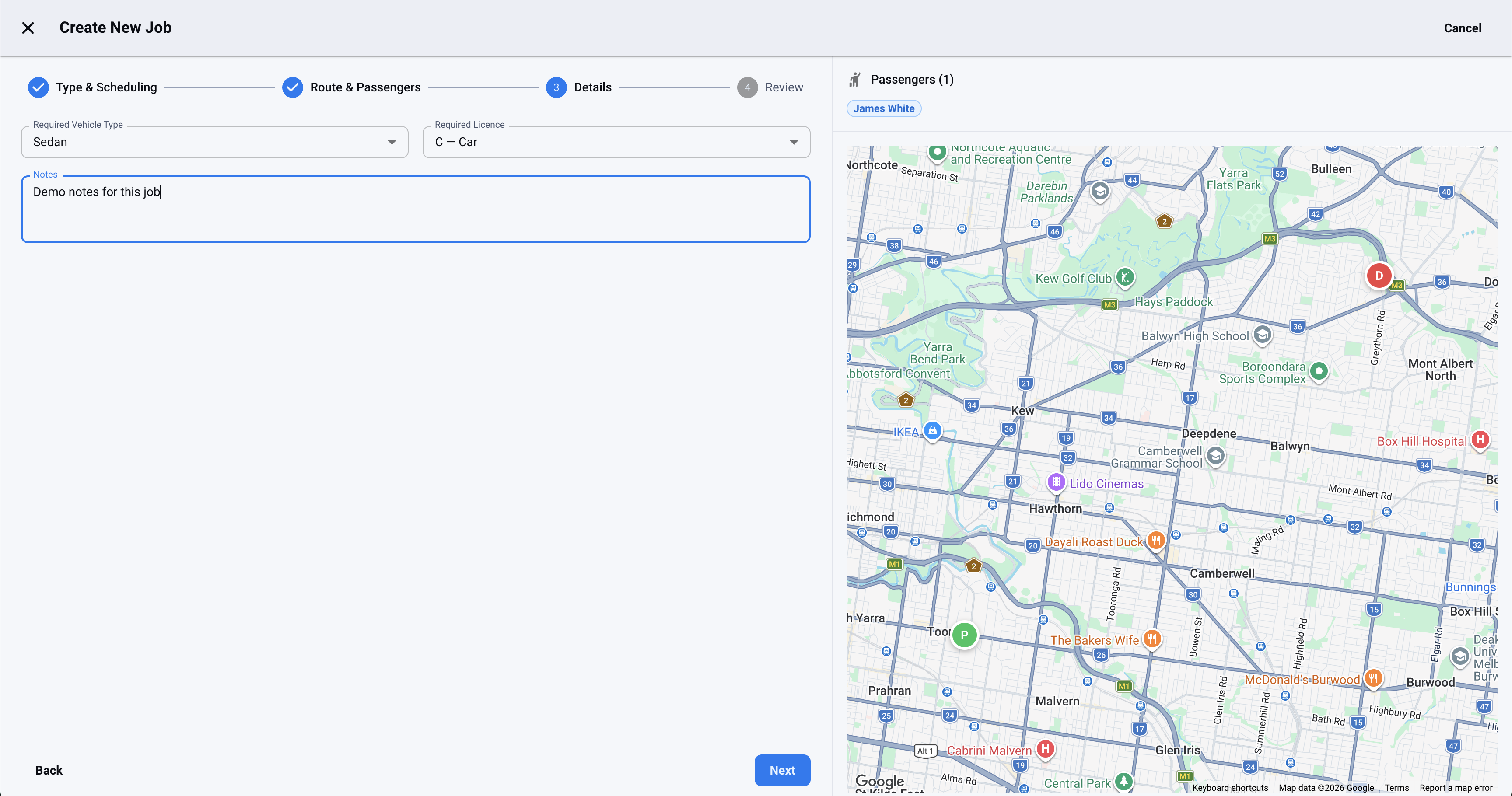
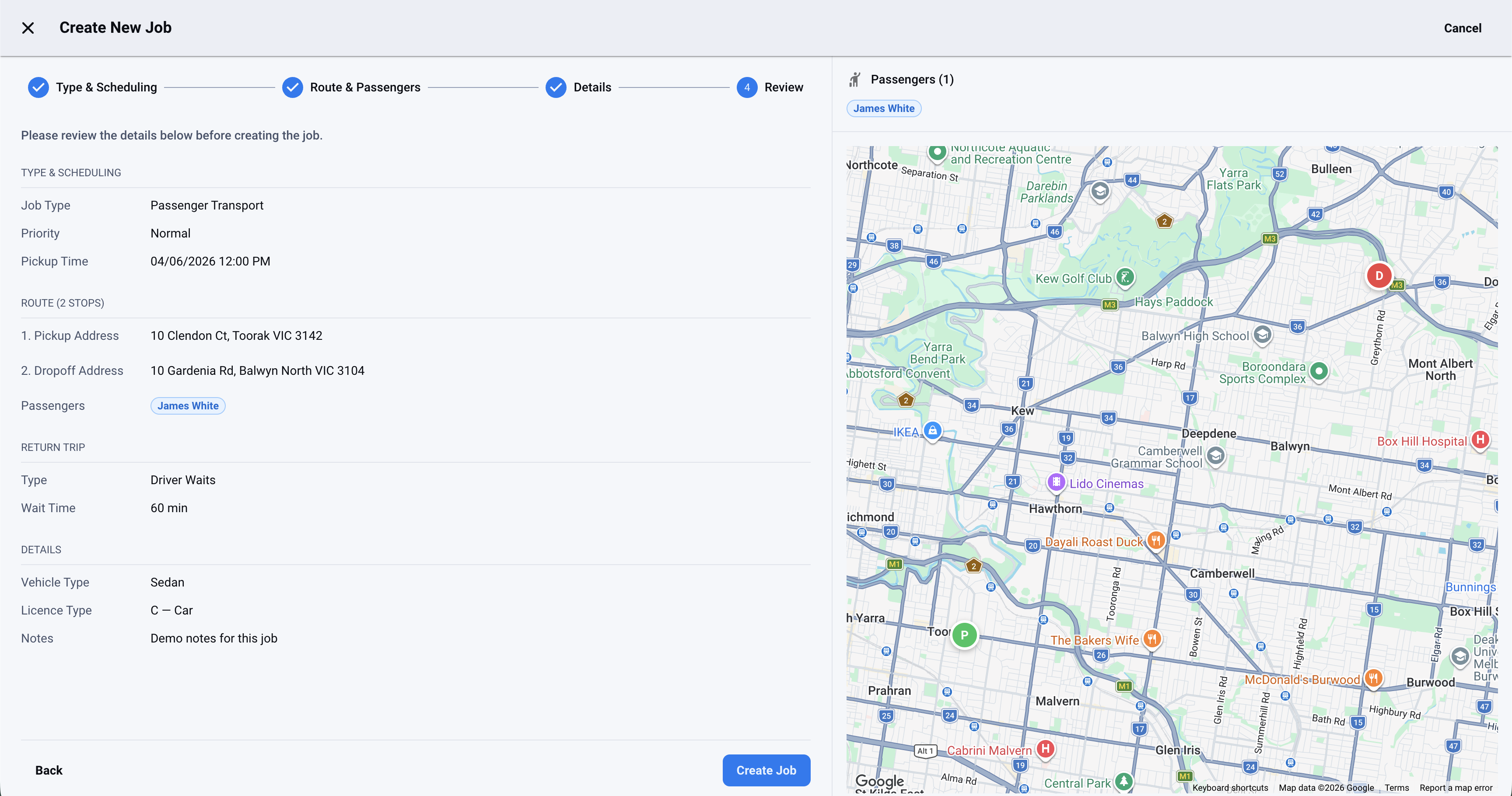
From Zero to Dispatched in Four Steps
The job wizard walks you through every detail — job type, passengers, driver assignment, and review — in under a minute.
Related Features
Smart Dispatch FAQs
Smart dispatch software recommends the best driver-vehicle pair for each job automatically, ranking every option by proximity, availability, vehicle suitability, and time windows. Instead of manually deciding who to send, dispatchers get an intelligent recommendation and can one-click auto-assign.
Smart dispatch (smart assign) optimises one job at a time — ideal for ad-hoc jobs that come in during the day. Fleet optimisation takes every pending job at once and finds the best plan across the whole fleet. Waybill includes both, sharing the same underlying intelligence.
Yes. By ranking driver-vehicle options and auto-assigning with one click, smart dispatch cuts the manual decision time on every job — turning hours of daily planning into minutes, and reducing the errors that come from assigning jobs by memory.
Ready to Dispatch Smarter?
Every feature, no limits. Pay only for completed jobs — from $0.45, with your first 50 covered by the trial.